👉 Join the conversation on Discord
Each lesson on this learning site has its own post in the foundations-course channel of the CAI Discord server. If you have any question about this video, feel free to post and we'll try to help out!
Signing and validating fragmented video files
-
In this lesson, we’re going to look at:
-
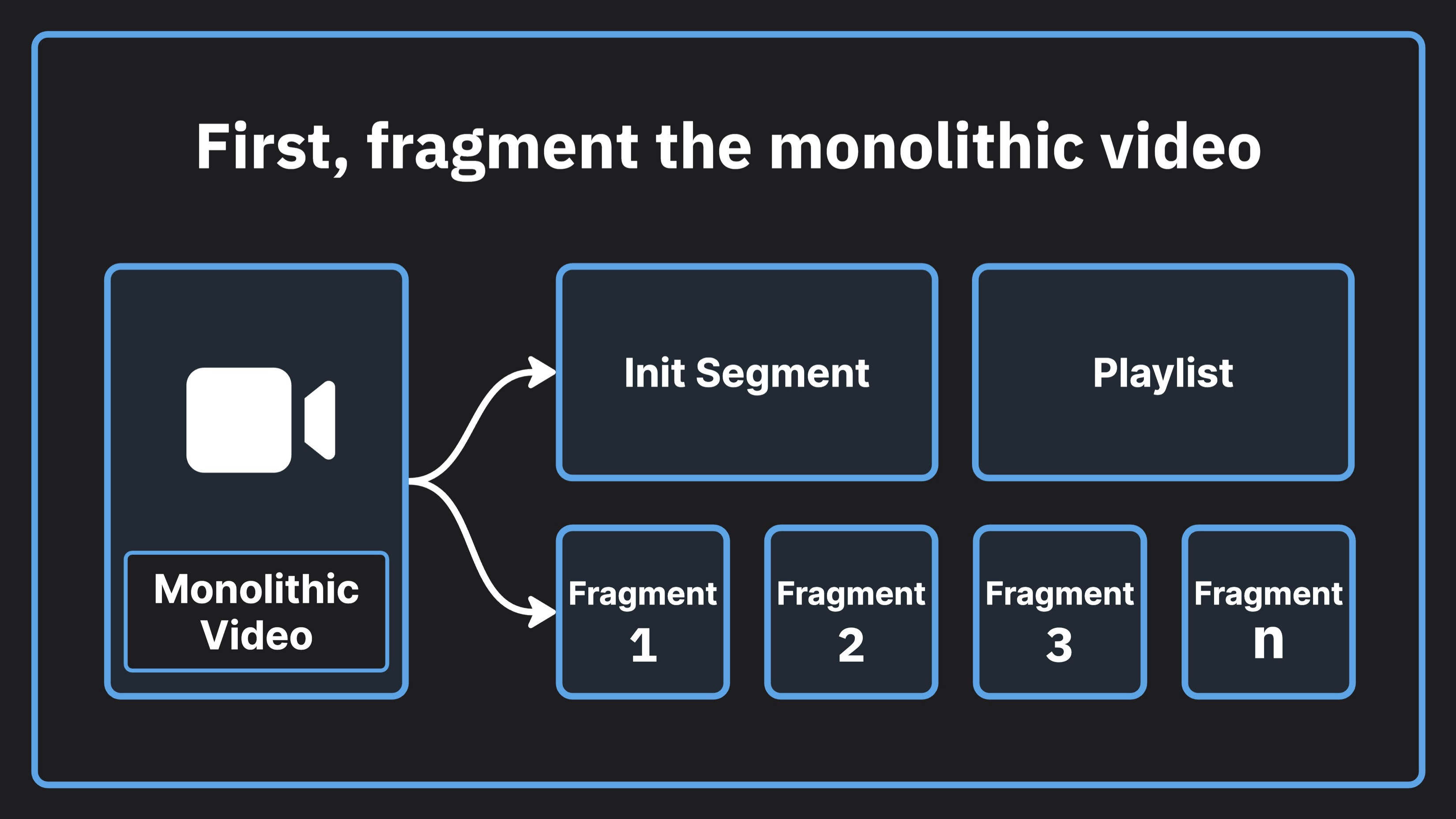
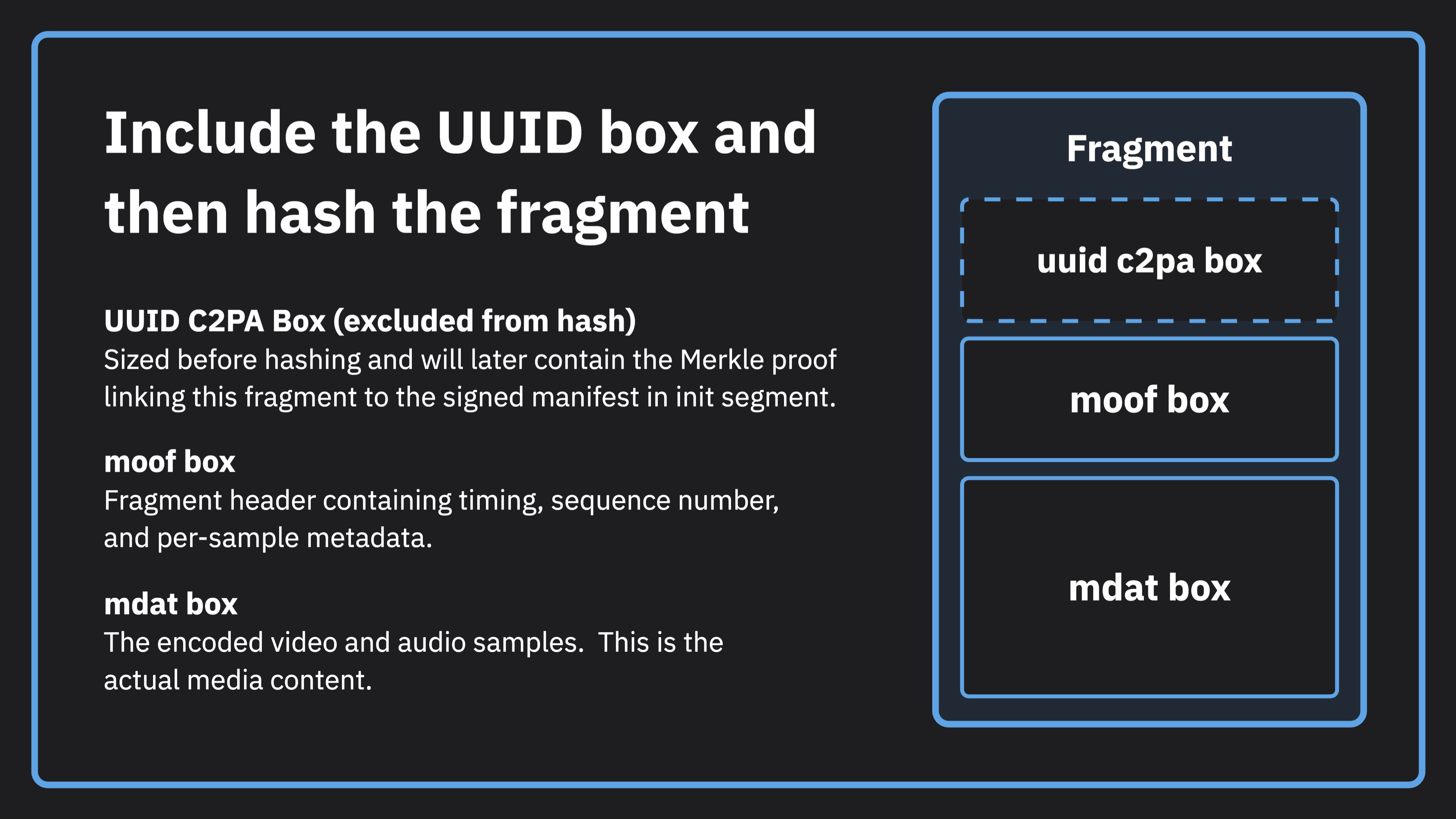
The components of fragmented video including the init segment, the playlist, and the fragments themselves
-
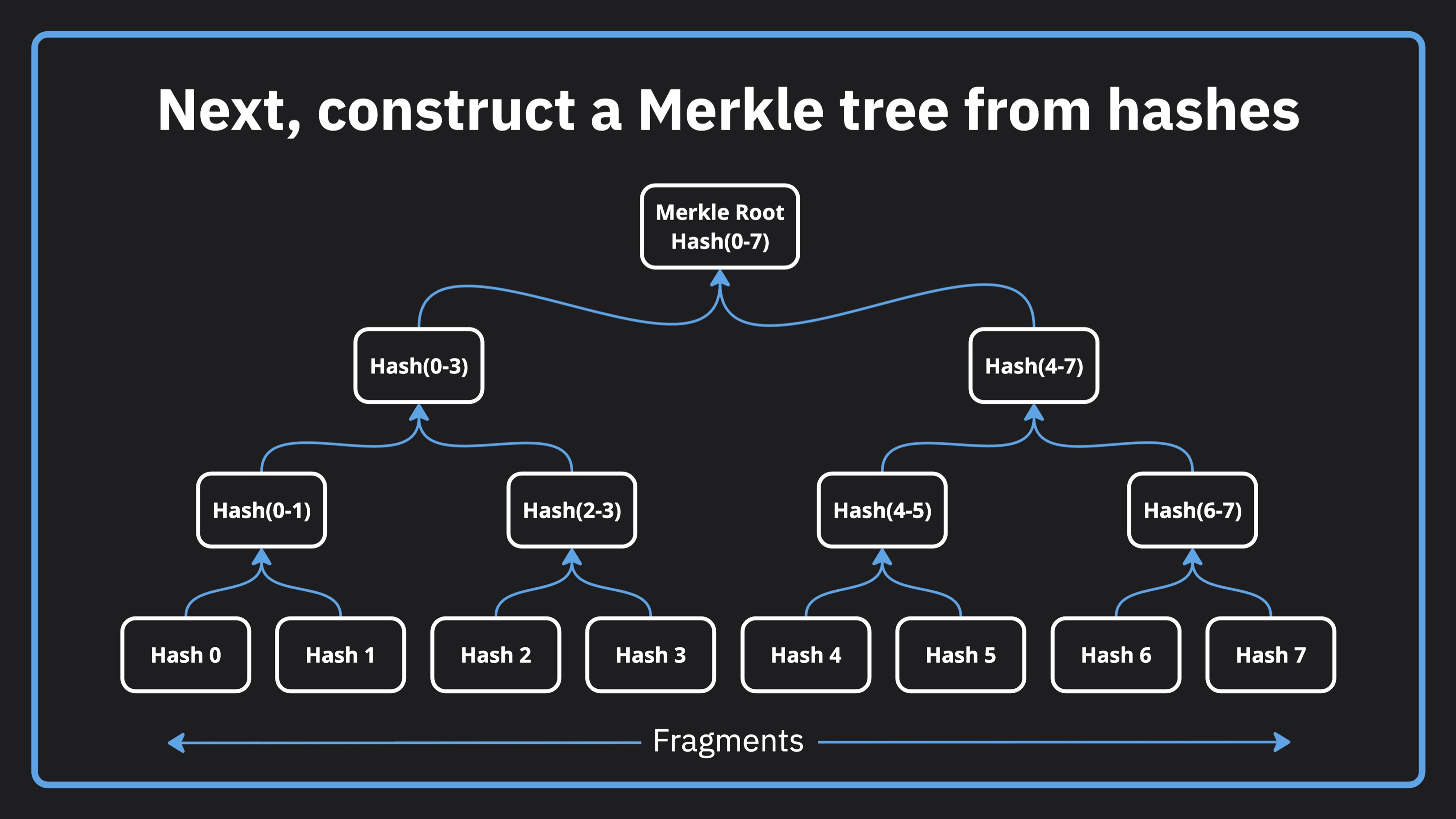
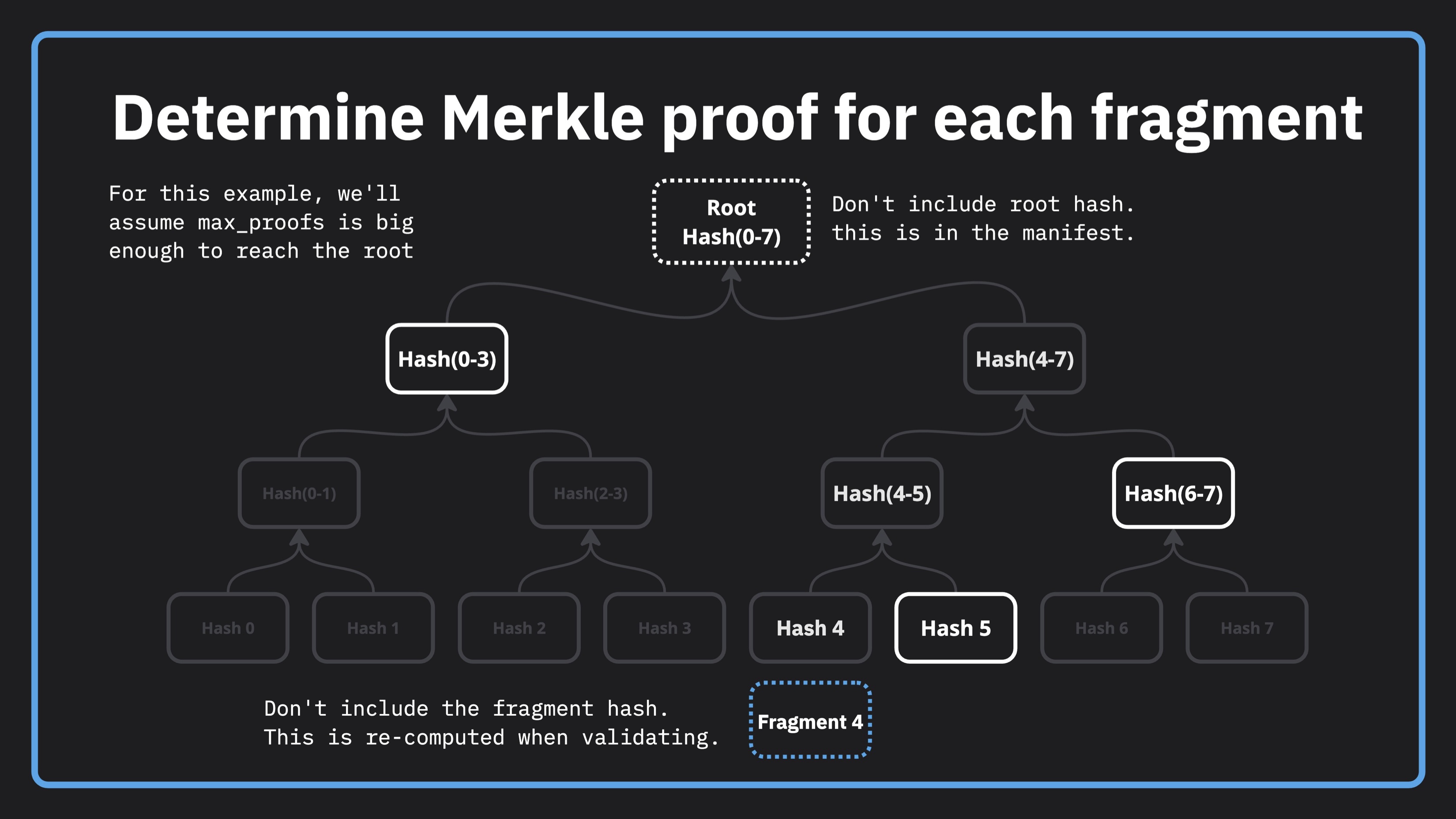
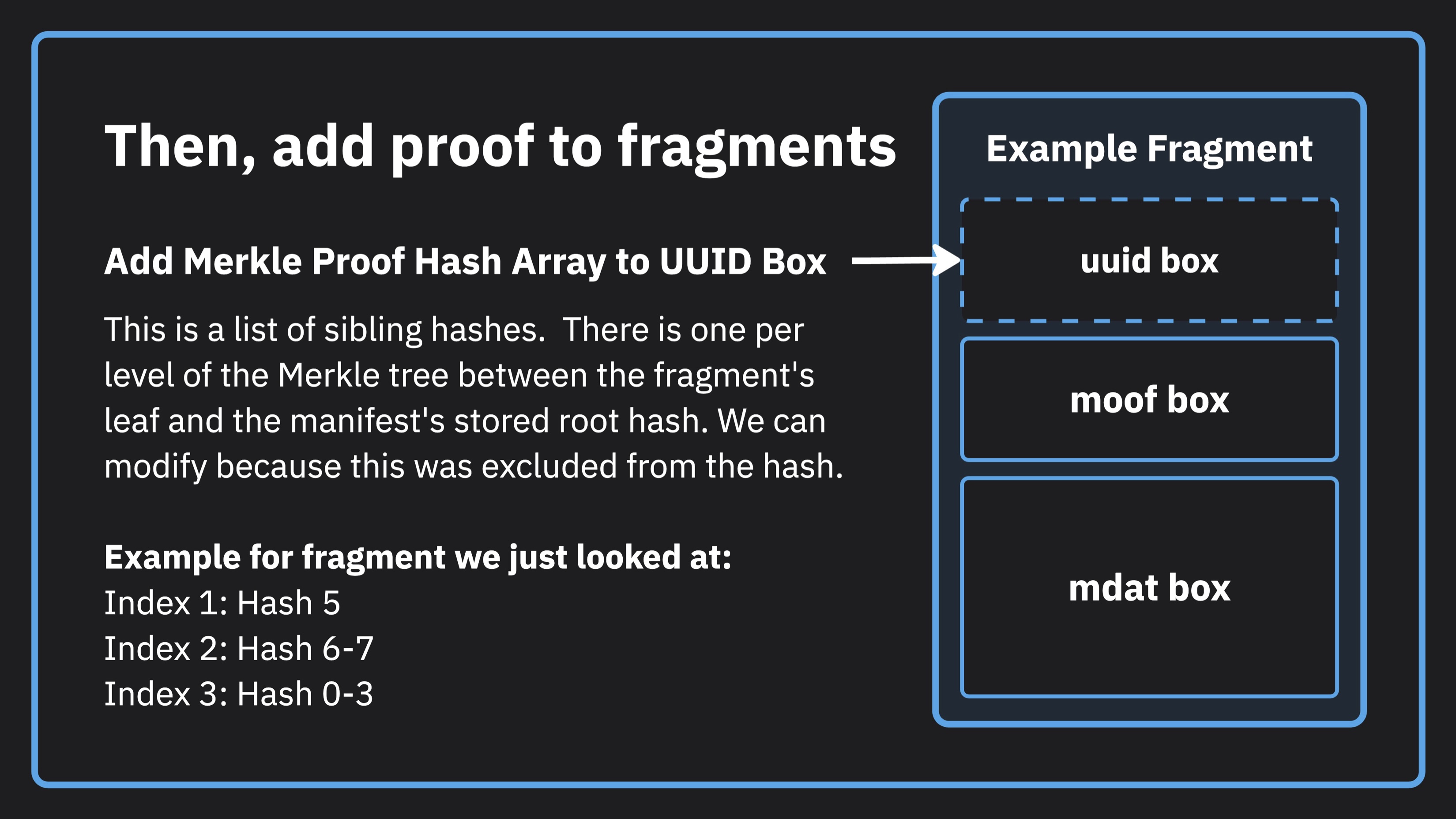
What a merkle root, tree, and proof are and how to process the individual fragments when signing
-
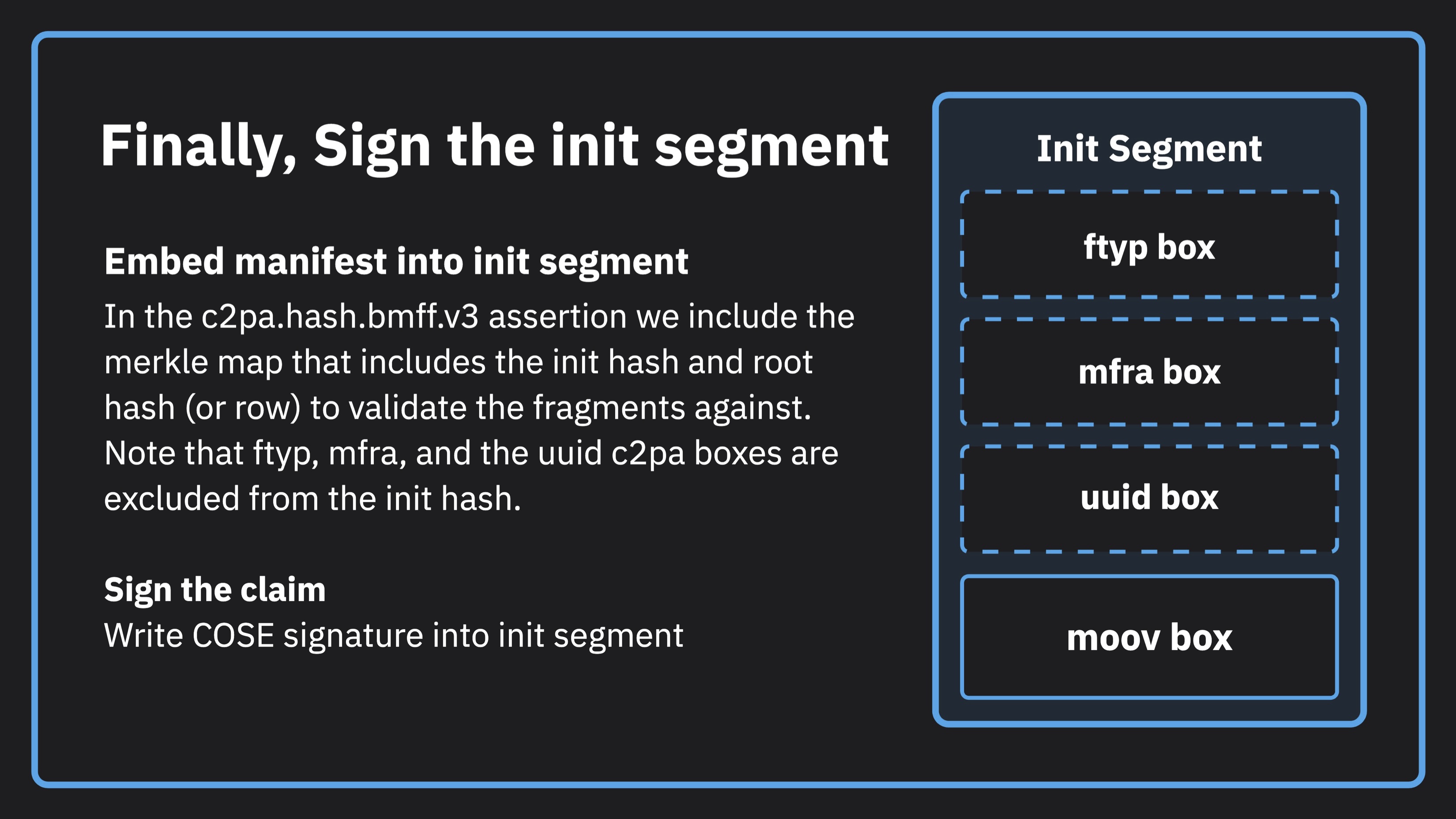
Why the init segment is the only thing that's signed
-
Validating only requires the init segment and one fragment that we're trying to validate
-
How to generate fragments using ffmpeg
-
How to sign and validate using the C2PA Tool
Understanding the concept of signed fragmented video
This is meant to provide a high-level explanation of how it works, In your app, c2pa-rs or C2PA Tool will do most of the work for you. For this example, we also use ffmpeg to help us with fragmenting of the monolithic video.
Code from the lesson
# Commands from the tutorial

# Generate the fragments
ffmpeg -i monolithic.mp4 -c copy -f hls \
  -hls_time 4 \
  -hls_playlist_type vod \
  -hls_segment_type fmp4 \
  -hls_fmp4_init_filename init.mp4 \
  -hls_segment_filename 'fragments/fragment_%03d.m4s' \
  fragments/output.m3u8

# Sign the fragmented video
./c2patool ./fragments/init.mp4 \
  --settings settings.toml \
  --manifest manifest.json \
  --parent monolithic.mp4 \
  --output signed-fragments/ \
  fragment --fragments_glob "fragment_*.m4s"

# Validate the fragmented video
./c2patool ./signed-fragments/fragments/init.mp4 \
  --settings settings.toml \
  fragment --fragments_glob "fragment_*.m4s"
// manifest.json

{
  "claim_generator_info":[{
    "name": "Demo Video App",
    "version": "1.0.0"
  }],

  "assertions": [
    {
      "label": "c2pa.actions.v2",
      "data": {
        "actions": [
          {
            "action": "c2pa.repackaged"
          }
        ]
      },
      "created": true
    }
  ]
}
# settings.toml

[builder]

created_assertion_labels = [
  "c2pa.actions",
  "c2pa.thumbnail.claim",
  "c2pa.thumbnail.ingredient",
  "c2pa.ingredient"
]

[builder.actions.auto_created_action]
enabled = false

[builder.actions.auto_opened_action]
enabled = true

[trust]

trust_anchors = """

# roots to be configured as trusted

"""
Getting more help
You can access the CAI Docs to learn more about implementing Content Credentials. If you have questions about this video, there is a forum set up on the CAI Discord for each video. You can access discussion for this video here. We would love to see your questions there!